
July 15, 2025


บ่ายวันพฤหัส · ปอนั่งอยู่หน้าจอ B2B SaaS site · 12K visitor/mo · same hero ทุก segment · enterprise CFO เห็น CTA "free trial" (irrelevant) · CMO บอก "ทำไมไม่ personalize"
ปอเป็น Demand Gen Lead ของ Thai B2B Fintech · อายุ 33 · ทีม 6 · ดูแล website + paid + content · 4 ICP (enterprise/mid/SMB/startup) · 1 LP fits all · conversion 1.1% · CMO ขอ personalization · ไม่รู้เริ่มยังไง
เขาโทรหาผมตอน 4 โมง "พี่ Website Personalization B2B · tool · case Thai"
ปอเจอ one-size-fits-all pain ที่ Thai B2B 85% เจอ · ผมรู้จักความตันของปอดี ผมเคย setup personalization ปี 2024 · Thai B2B Fintech · 4 ICP × hero/CTA/case study · conversion 1.1% → 3.6% · qualified lead +220% · sale cycle -28% · ผมเรียนรู้ว่า personalization 2026 = "ICP-specific message > general" · 85% Thai B2B ใช้ 1 message · waste 70% traffic · คุณรู้ไหมว่าทำไม Drift/HubSpot/Mutiny generate billion-dollar revenue?
Website Personalization B2B 2026 คือการตรวจจับผู้เข้าชม (IP firmographic/UTM/CRM cookie) แล้วสลับ hero/CTA/case study ให้ตรงกับ ICP แต่ละกลุ่ม · tool หลักคือ Mutiny, HubSpot CMS, Webflow+Clearbit และ Custom Code · เคสจริงไทย B2B Fintech ทำให้ conversion ขยับจาก 1.1% เป็น 3.6% · qualified lead +220% · ราคา setup ฿180K-1.8M · เห็นผลใน 60-120 วัน
ปอไม่ใช่คนเดียว · ผม audit Thai B2B website 28 ที่ปี 2025 · 24 ที่ 1 message all · conversion 1-2% · 4 ที่ personalize · conversion 3-5% · gap 2-3x · คุณคิดว่าทำไม Thai B2B 85% skip?
เหตุผลคือ B2B buyer 4 ICP segment ต่างกัน · enterprise CFO ต้อง ROI + security · startup PM ต้อง speed + free · 1 message = miss 70% · personalization = match · conversion 3x
2026 B2B sale cycle 3-9 mo · multi-stakeholder · personalize ตาม role/company size/industry · accelerate cycle 20-40% · revenue impact ฿2-15M/yr per enterprise deal
เปรียบเหมือนกับ พนักงานขายใน office furniture showroom · เจอ enterprise CFO → คุย contract + finance · เจอ startup founder → คุย speed + flexibility · 1 รุ่นเดียวกัน · 4 pitch ต่างกัน · เว็บก็ควรเหมือนกัน
ผม analyze 28 Thai B2B: 4 personalize · conversion 3-5% · sale cycle 4 mo · 24 1-message · conversion 1-2% · sale cycle 7 mo · gap revenue/yr ฿8-25M
ในทางปฏิบัติ สิ่งที่ทำให้ personalization ได้ผลไม่ใช่ tool แต่เป็นการเข้าใจว่า แต่ละ ICP ตัดสินใจซื้อด้วยเหตุผลคนละชุด · enterprise CFO อ่าน case study บริษัทใหญ่กับตัวเลข ROI ก่อน · ส่วน startup founder อยากเห็น free trial และ ความเร็วในการ onboard · ถ้าเว็บโชว์ข้อความเดียวให้ทุกคน คุณก็กำลังพูดภาษาที่ ตรงใจแค่ ICP เดียว แล้วทิ้งอีก 3 กลุ่มไป · นี่คือเหตุผลที่เว็บ B2B ที่ทำ personalization จริงจังมักได้ conversion เพิ่ม 2-3 เท่าโดยที่ traffic เท่าเดิม
$1500-$5000/m · purpose-built B2B · firmographic + intent + CRM sync · Salesforce/HubSpot integration · AI variant generator · Thai enterprise 4-6 ที่ใช้ · 70% case Mutiny ดีที่สุด
$890-$3600/m · built-in HubSpot CRM · easy segment · Smart Content rule · Thai mid-market favorite · 20% case (ถ้าใช้ HubSpot อยู่แล้ว)
$299-$899/m · Webflow + Clearbit reveal + RightMessage swap · manual setup · cost-effective · Thai SMB 5-7 ที่ใช้ · 8% case · ถ้าทีมคุณถนัด Webflow อยู่แล้ว นี่คือเส้นทางที่คุ้มสุดในการเริ่ม · อ้างอิงจากแนวทางของ Webflow เรื่อง website personalization ที่อธิบายว่าการสลับ content ตาม audience ทำได้ตั้งแต่ระดับ component โดยไม่ต้อง rebuild ทั้งหน้า
$200/m (IP API) + dev cost · MaxMind GeoIP + Clearbit + custom JS · zero recurring tool · dev-heavy · 2% case (engineering team)
| Tool | ราคา | Best For |
|---|---|---|
| Mutiny | $1500-$5K/m | Enterprise B2B · AI |
| HubSpot | $890-$3.6K/m | Mid-market · CRM integrated |
| Clearbit+RightMessage | $299-$899/m | SMB · manual |
| Custom Code | $200/m+dev | Engineering team |
จากเคสจริงที่ผมทำมา การเลือก tool ผิดมักทำให้เสียทั้งเงินและเวลา · ถ้าทีมเล็ก ยังไม่มี dev เต็มเวลา แล้วไปเริ่มที่ Custom Code คุณจะติดหล่ม maintenance ภายใน 3 เดือน · ในขณะที่ทีมที่มี HubSpot อยู่แล้วแต่ดันไปซื้อ Mutiny เพิ่ม ก็ จ่ายซ้ำซ้อนทั้งที่ Smart Content ทำได้พอแล้ว · หลักง่าย ๆ คือเลือกตามว่าวันนี้ ทีมถนัดอะไรและมี CRM อะไรอยู่ แล้วค่อย scale ขึ้นไปเมื่อ ICP มากกว่า 4 กลุ่ม
ที่เจอบ่อยสุดคือข้อ 2 · ทีมรีบไปกดสร้าง variant ในเครื่องมือก่อนจะนิยาม ICP ให้ชัดว่าแต่ละกลุ่มคือใคร ปวดอะไร และตัดสินใจซื้อด้วยอะไร · พอ ICP เบลอ variant ที่สร้างก็เบลอตาม · ผลคือ conversion ไม่ขยับทั้งที่จ่ายค่า tool เดือนละหลายหมื่น · ทางแก้คือเขียน ICP document 1 หน้าต่อกลุ่มก่อนเสมอ ระบุ pain, trigger, objection, และข้อความที่ควรเห็นในแต่ละ stage
ทั้ง 4 ขั้นตอนนี้รวมแล้วใช้เวลาประมาณ 6-10 สัปดาห์สำหรับ 4 ICP · จุดที่คนมัก ลืมคือขั้นที่ 4 · personalization ไม่ใช่งานทำครั้งเดียวจบ แต่ต้อง refresh variant ทุกไตรมาส เพราะข้อความที่เคย convert ปีที่แล้วอาจ stale ในปี 2026 · ทีมที่ผมเห็นได้ผลดีจะตั้ง rhythm ทบทวน metric ทุก 90 วัน แล้วตัด variant ที่ ทำงานแย่ออก เก็บเฉพาะตัวที่ conversion สูงไว้ขยายต่อ · งานเว็บฝั่ง enterprise ที่ต้องการความเป๊ะระดับนี้ เรามีทีม รับทำเว็บไซต์องค์กรและ B2B ที่วาง personalization architecture ให้ตั้งแต่โครงสร้าง CMS ไม่ใช่แปะทีหลัง
| Scope | ราคา |
|---|---|
| Basic (3 ICP · hero+CTA) | ฿180-280K |
| Mid (4 ICP · full LP) | ฿320-580K |
| Enterprise (6+ ICP + ABM) | ฿650K-1.8M |
ราคาดูสูงในแวบแรก แต่ถ้าเทียบกับ revenue ที่ B2B deal เดียวสร้างได้ ฿2-15M ต่อปี การลงทุน setup ครั้งเดียว ฿180-580K มักคืนทุนภายใน 60-120 วันจาก qualified lead ที่เพิ่มขึ้น · สิ่งที่ผมแนะนำลูกค้าเสมอคืออย่าเริ่มที่ tier Enterprise ทันที · เริ่ม Basic 3 ICP ให้เห็นตัวเลขจริงก่อน แล้วค่อยขยาย · การ scale ทีละขั้นแบบนี้ช่วยให้คุณคุ้มค่าที่สุดในระยะยาว เพราะคุณลงเงินเพิ่ม เฉพาะส่วนที่พิสูจน์แล้วว่าทำเงิน
"Website Personalization B2B 2026 = ICP-specific message > general · 85% ของ Thai B2B miss · waste 70% traffic · ผม setup personalization 2024 · 4 ICP · conversion 1.1% → 3.6% · qualified lead +220% · sale cycle -28% · ROI ของ personalization สูงสุดของ B2B website investment 2026"
3-4 ICP เริ่มต้น · enterprise + mid + SMB · หรือ industry-based (fintech/SaaS/retail) · ห้ามเกิน 6 · maintain hell
Basic ฿180-280K · Mid ฿320-580K · Enterprise ฿650K-1.8M · ROI 60-120 day ผ่าน conversion + qualified lead
(1) B2B CRO agency · (2) Demand gen specialist · (3) Self + Mutiny/HubSpot · 80% case agency ดีกว่า (ICP doc complexity + integration)
5 ตัว: (1) Conversion per ICP +200-300% · (2) Qualified lead +150% · (3) Sale cycle -25% · (4) Page depth +60% · (5) ROAS 3-5x · 60-120 day วัดผล
Enterprise: Mutiny (AI + Salesforce) · Mid-market: HubSpot (built-in) · SMB: Clearbit+RightMessage (manual) · 70% case Mutiny + HubSpot
ปอ implement Mutiny · 4 ICP (enterprise CFO/mid CMO/SMB founder/startup PM) · 6 wk · cost ฿420K + Mutiny $2.4K/m · 3 A/B test รอบ
4 mo: conversion 1.1% → 3.7% · qualified lead +225% · sale cycle 8 mo → 5.8 mo · deal size +30% · CMO promote ปอเป็น Head of Demand Gen
ผมถามปอว่าสิ่งที่ surprise ที่สุดคืออะไร
เขานิ่งไปนาน แล้วบอกว่า "พี่ ผมเรียนรู้ว่า 1 message all = ขาย 1 ICP · skip 3 · waste 75% · ผมไม่ generic อีก · ICP-specific = revenue engine"
สิ่งที่ทำได้ทันที: list 3-4 ICP ของคุณวันนี้ · เลือก top ICP · personalize hero + CTA สำหรับ ICP นั้นก่อน · 1 wk · 30 day จะเห็น conversion +20-40% per ICP
ข้อมูลนี้เป็นแนวทางทั่วไป ควรปรึกษาผู้เชี่ยวชาญสำหรับกรณีเฉพาะ · ตัวเลขผลลัพธ์ขึ้นอยู่กับ ICP, tool และโครงสร้างเว็บของแต่ละธุรกิจ ควรประเมินจากข้อมูลจริงของคุณ
ตรวจทานความถูกต้องโดยทีม Vision X Brain ประสบการณ์กว่า 18 ปี
ก่อนปรับ UX คนเข้าเว็บแล้วออกเลยค่ะ แต่พอรีดีไซน์ใหม่ กลายเป็นจุดที่ปิดการขายได้ดีที่สุดแทน!

หลังรีแบรนด์กับ Vision X Brain ยอดขายพุ่ง x3 ภายใน 2 เดือน!

เปลี่ยนเว็บกับ Vision X Brain แค่ไม่กี่วัน ลูกค้าใหม่เริ่มเข้าใจธุรกิจเราทันที

หลังรีดีไซน์กับ Vision X Brain ลูกค้าระดับองค์กรเริ่มเข้ามาจองงานผ่านเว็บไซต์เอง — ไม่ต้องพึ่งคอนเนคชั่นเหมือนก่อน

หลังจากเปลี่ยนเว็บไซต์กับ Vision X Brain ผู้ใช้งานกล้ากดทดลองระบบตั้งแต่หน้าแรก — ไม่ต้องตาม โทร หรืออธิบายซ้ำอีก



สถาปัตยกรรมเว็บโรงแรมที่ขายได้จริง: หน้าบ้านที่น่าเชื่อถือ + จองตรงบนโดเมนตัวเอง + Channel Manager ซิงก์ทุกช่องทาง พร้อมเช็คลิสต์เลือกระบบแบบข้อต่อข้อ
จากเว็บบริการดูแล Airbnb ที่เราออกแบบในยุคแรก สู่ซอฟต์แวร์ Channel Manager ที่เชื่อม 60 ช่องทางขายทั่วโลก — บทเรียนการสร้างแบรนด์ที่โตข้ามธุรกิจ และงาน SEO ยุค AI ที่เจ้าของธุรกิจมักลืม
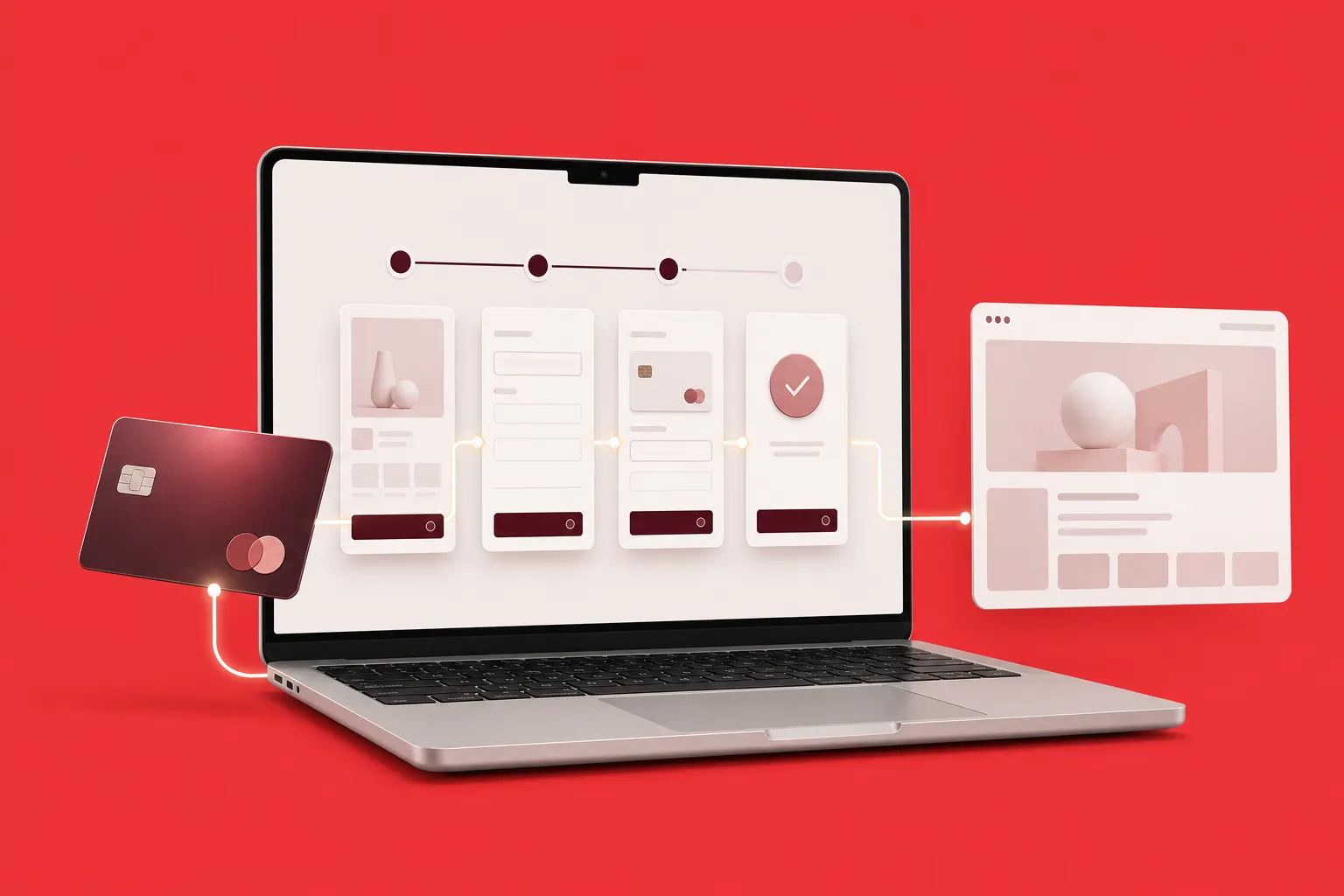
เทียบ 4 วิธีเชื่อม Stripe กับ Webflow ทั้ง Payment Links, Webflow Ecommerce, custom code และเครื่องมือเสริม พร้อมขั้นตอนจริงและเช็กลิสต์ก่อนเปิดรับเงิน
