
July 1, 2025



ตีหนึ่งคืนวันเสาร์ ฝ้ายส่ง Dribbble link 40 อันมาให้ผมดู
ฝ้ายเป็น Senior Designer ของ creative agency ในกรุงเทพ อายุ 32 รับงาน redesign เว็บลูกค้า fintech ไทย CEO บอกอยากได้ "ทันสมัย ตามเทรนด์ 2026" แต่ไม่ระบุว่าตามเทรนด์ไหน · ฝ้ายเปิด Dribbble + Awwwards 3 ชั่วโมงเห็นเทรนด์ 8 แบบ glassmorphism, claymorphism, neubrutalism, brutalist, 3D, scroll-driven, bento grid, AI-generated
เธอถามผมว่า "พี่ ลูกค้า fintech ของผมเลือกเทรนด์ไหนถึงจะ work · ผมเอาทุกแบบมารวมก็ดูไม่ดี"
ผมรู้จักความตันของฝ้ายดี ผมเคยรับ rebrand เว็บลูกค้า fashion brand ปี 2024 ใช้ glassmorphism + neubrutalism ผสมกันเพราะ "เทรนด์ใหม่" ผลคือ user testing 12 คน · 9 คนงงว่ากดอะไรได้บ้าง · conversion rate ลด 38% หลัง launch ผมต้อง rebuild กลับเป็น clean modern design ภายใน 6 สัปดาห์ ผมเสียลูกค้าไป 140,000 บาทค่าทำใหม่ คุณรู้ไหมว่าทำไม "เทรนด์ใหม่" ที่ Dribbble ดังที่สุด อาจเป็นเทรนด์ที่ทำให้เว็บคุณ fail?
เทรนด์ Web Design 2026 ที่ใช้ได้จริงมี 8 แบบ ได้แก่ Bento Grid, Scroll-driven Animation, AI-generated Visual, Bold Typography, Glassmorphism, Claymorphism, Neubrutalism และ Dark Mode default · หัวใจคือเลือกเทรนด์ตาม brand archetype กับ audience ไม่ใช่ตามความฮิตบน Dribbble · เคสจริงที่ผมเจอคือเว็บผสม neubrutalism กับ glassmorphism จน conversion ลด 38% แล้วฟื้นได้เมื่อกลับมาใช้ clean design
ฝ้ายไม่ใช่คนเดียวที่เลือกเทรนด์ผิด ผมเห็น designer ไทย 30+ คนที่ใช้เทรนด์ Dribbble ในเว็บ business · ส่วนใหญ่ conversion drop เพราะ user งงกับ pattern ใหม่ คุณคิดว่าทำไม Dribbble + Awwwards ที่ดังที่สุด มักไม่ใช่เว็บ business ที่ทำเงินจริง?
เหตุผลคือ Dribbble + Awwwards optimize for "wow factor" ของ designer · ไม่ใช่ optimize for "conversion + clarity" ของ user · designer-judge ไม่ใช่ end-user
เทรนด์ที่ designer ชอบ (neubrutalism, brutalist) มักมี high cognitive load · user ใช้เวลาคิดว่ากดอะไรได้ · เว็บ business ที่ต้องการ conversion = ฆ่าตัวเอง
เปรียบเทียบเหมือนกับเสื้อผ้า · catwalk ของ Paris Fashion Week designer ชอบ · แต่คนส่วนใหญ่ไม่ใส่ในชีวิตประจำวัน เว็บก็เหมือนกัน · เทรนด์ใหม่ดูตื่นเต้น · แต่ classic design ขายของได้ทุกครั้ง
ผม audit เว็บที่ใช้เทรนด์ใหม่ 25+ แห่ง พบว่า 70% มี conversion ต่ำกว่า industry average · 20% ดีกว่า (เพราะตรงกับ brand archetype) · 10% เท่ากัน เทรนด์ใหม่ = high variance · high reward + high risk
| เทรนด์ | ใช้เมื่อไหร่ | ข้อควรระวัง |
|---|---|---|
| 1. Bento Grid | Portfolio, product showcase, dashboard | ระวัง mobile layout · grid 4-col ต้องเป็น 1-col |
| 2. Scroll-driven Animation | Storytelling, brand site | accessibility · ต้อง respect prefers-reduced-motion |
| 3. AI-generated Visual | Creative brand, abstract concept | copyright unclear · ไม่ใช้กับ photography เด่น |
| 4. Bold Typography (Variable Font) | Editorial, magazine, brand | readability · ขนาดต่ำกว่า 18px = ห้าม |
| 5. Glassmorphism | Tech/SaaS, modern app | background ต้องสวยพอ + contrast ต้องผ่าน WCAG |
| 6. Claymorphism | Kid app, wellness, edutainment | ไม่เหมาะ B2B serious + finance |
| 7. Neubrutalism | Creative agency, design studio | high cognitive load · conversion drop 20-40% สำหรับ business site |
| 8. Dark Mode default | Developer tool, productivity app, gaming | ไม่เหมาะ healthcare, food, kid product |
Brand archetype 12 แบบ (Hero, Sage, Outlaw, Lover, Caregiver, Magician, Innocent, Explorer, Creator, Ruler, Jester, Everyman) · เลือก archetype หลัก 1 แบบ + รอง 1 แบบ
Tech/SaaS เลือก Sage หรือ Magician → glassmorphism · scroll animation
Healthcare/Wellness เลือก Caregiver หรือ Innocent → claymorphism · soft palette
Creative agency เลือก Creator หรือ Outlaw → neubrutalism · bold typography
Gen Z + Millennial designer-savvy = ทดลองเทรนด์ใหม่ได้
Gen X + Boomer + B2B enterprise = stick กับ classic clean design
เทรนด์ใหม่ = high variance · ถ้า A/B test ก่อน launch full = ลด risk · ถ้าไม่ test = ROI gamble
เกณฑ์ LCP 2.5 วินาทีและ CLS 0.1 นี้ผมอ้างอิงจากแนวทาง Core Web Vitals ของ web.dev โดย Google ซึ่งเป็นมาตรฐานที่ Google ใช้จัดอันดับเว็บ · เทรนด์ที่สวยแต่ทำคะแนนพังตรงนี้ จะดึงทั้งอันดับและ conversion ลงพร้อมกัน
| Scope | ราคา |
|---|---|
| Landing 1-3 หน้า + 1 เทรนด์ | ฿50,000-120,000 |
| Marketing site 5-15 หน้า + 2-3 เทรนด์ | ฿120,000-350,000 |
| Custom 3D / WebGL / scroll-driven | ฿200,000-800,000 |
| Brand redesign + design system | ฿300,000-1,500,000 |
"เทรนด์ Web Design ไม่ใช่ตัวเลือกที่ดีหรือไม่ดี · มันคือ tool ที่ใช้ถูก context หรือผิด context · เว็บที่ดีที่สุดในโลกไม่ใช่เว็บที่ตามเทรนด์ทุกตัว · แต่เป็นเว็บที่เลือกเทรนด์ที่ตรงกับ brand + audience + business goal · designer ที่เข้าใจสิ่งนี้คือ designer ที่ลูกค้ารักษา"
8 เทรนด์หลัก: Bento Grid (Apple-style), Scroll-driven Animation, AI-generated Visual, Bold Variable Typography, Glassmorphism, Claymorphism, Neubrutalism, Dark Mode default · เลือกตาม brand archetype + audience ไม่ใช่ตาม popularity
ไม่เหมาะกับเว็บ business ส่วนใหญ่ · มี high cognitive load · conversion rate ลด 20-40% สำหรับ e-commerce/SaaS · เหมาะเฉพาะ creative agency + design studio + brand ที่ต้องการ stand out จาก crowd
ขั้นแรก: กำหนด brand archetype (12 แบบ) ขั้นที่สอง: ดู audience maturity (Gen Z designer-savvy vs Boomer classic) ขั้นที่สาม: คำนวณ risk/reward + A/B test ก่อน launch full · ห้ามผสม 3+ เทรนด์ในเว็บเดียว
Landing 1-3 หน้า + 1 เทรนด์ ฿50K-120K · Marketing site 5-15 หน้า + 2-3 เทรนด์ ฿120K-350K · Custom 3D/WebGL/scroll-driven ฿200K-800K · Brand redesign + design system ฿300K-1.5M
กระทบเชิงลบถ้าทำผิด · scroll animation + 3D ที่ใช้ JS หนัก = LCP เกิน 2.5s · Core Web Vitals ตก · ranking ลด ถ้าทำถูก (CSS scroll-timeline แทน JS, lazy load 3D) = SEO ไม่กระทบ
ฝ้ายตัดสินใจไม่ใช้เทรนด์ผสม · เลือก glassmorphism + bento grid (2 เทรนด์ที่เข้ากับ fintech archetype Sage + Magician)
A/B test 30 วันก่อน launch full · variant ใหม่ conversion +12% · variant เก่า -3% · เลือก variant ใหม่ scale
ลูกค้า fintech ปลื้ม · CEO บอก "ทันสมัยจริง" · conversion rate steady-growth 18% ใน 90 วัน · ฝ้ายได้ project ต่อจากลูกค้ารายเดิม + 3 ราย
ผมถามฝ้ายว่าสิ่งที่เปลี่ยน mindset ของเธอคืออะไร
เธอนิ่งไปนาน แล้วบอกว่า "พี่ ผมเรียนรู้ว่าเทรนด์ที่ดีไม่ใช่เทรนด์ที่ใหม่ที่สุด · แต่เป็นเทรนด์ที่เข้ากับ brand ของลูกค้า · designer ที่เก่งจริงคือคนที่กล้าพูดว่า 'เทรนด์นี้ไม่เหมาะกับคุณ'"
สิ่งที่ทำได้ทันที: เปิด brand brief ของลูกค้าหรือบริษัทคุณคืนนี้ · เขียน brand archetype หลัก 1 แบบ + รอง 1 แบบ · เทียบกับ 8 เทรนด์ในตาราง · ถ้าเทรนด์ที่ designer ของคุณเสนอไม่อยู่ในกลุ่ม "ใช้เมื่อไหร่" ของ archetype คุณ = อย่าใช้ A/B test ก่อน launch full เสมอ
ข้อมูลนี้เป็นแนวทางทั่วไป ควรปรึกษาผู้เชี่ยวชาญสำหรับกรณีเฉพาะ
ตรวจทานความถูกต้องโดยทีม Vision X Brain ประสบการณ์กว่า 18 ปี
ก่อนปรับ UX คนเข้าเว็บแล้วออกเลยค่ะ แต่พอรีดีไซน์ใหม่ กลายเป็นจุดที่ปิดการขายได้ดีที่สุดแทน!

หลังรีแบรนด์กับ Vision X Brain ยอดขายพุ่ง x3 ภายใน 2 เดือน!

เปลี่ยนเว็บกับ Vision X Brain แค่ไม่กี่วัน ลูกค้าใหม่เริ่มเข้าใจธุรกิจเราทันที

หลังรีดีไซน์กับ Vision X Brain ลูกค้าระดับองค์กรเริ่มเข้ามาจองงานผ่านเว็บไซต์เอง — ไม่ต้องพึ่งคอนเนคชั่นเหมือนก่อน

หลังจากเปลี่ยนเว็บไซต์กับ Vision X Brain ผู้ใช้งานกล้ากดทดลองระบบตั้งแต่หน้าแรก — ไม่ต้องตาม โทร หรืออธิบายซ้ำอีก


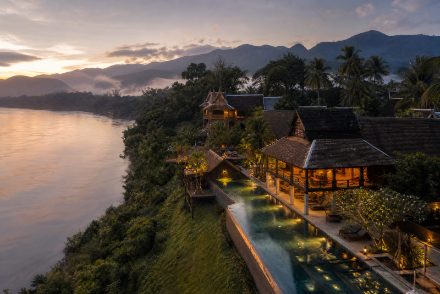
สถาปัตยกรรมเว็บโรงแรมที่ขายได้จริง: หน้าบ้านที่น่าเชื่อถือ + จองตรงบนโดเมนตัวเอง + Channel Manager ซิงก์ทุกช่องทาง พร้อมเช็คลิสต์เลือกระบบแบบข้อต่อข้อ
จากเว็บบริการดูแล Airbnb ที่เราออกแบบในยุคแรก สู่ซอฟต์แวร์ Channel Manager ที่เชื่อม 60 ช่องทางขายทั่วโลก — บทเรียนการสร้างแบรนด์ที่โตข้ามธุรกิจ และงาน SEO ยุค AI ที่เจ้าของธุรกิจมักลืม
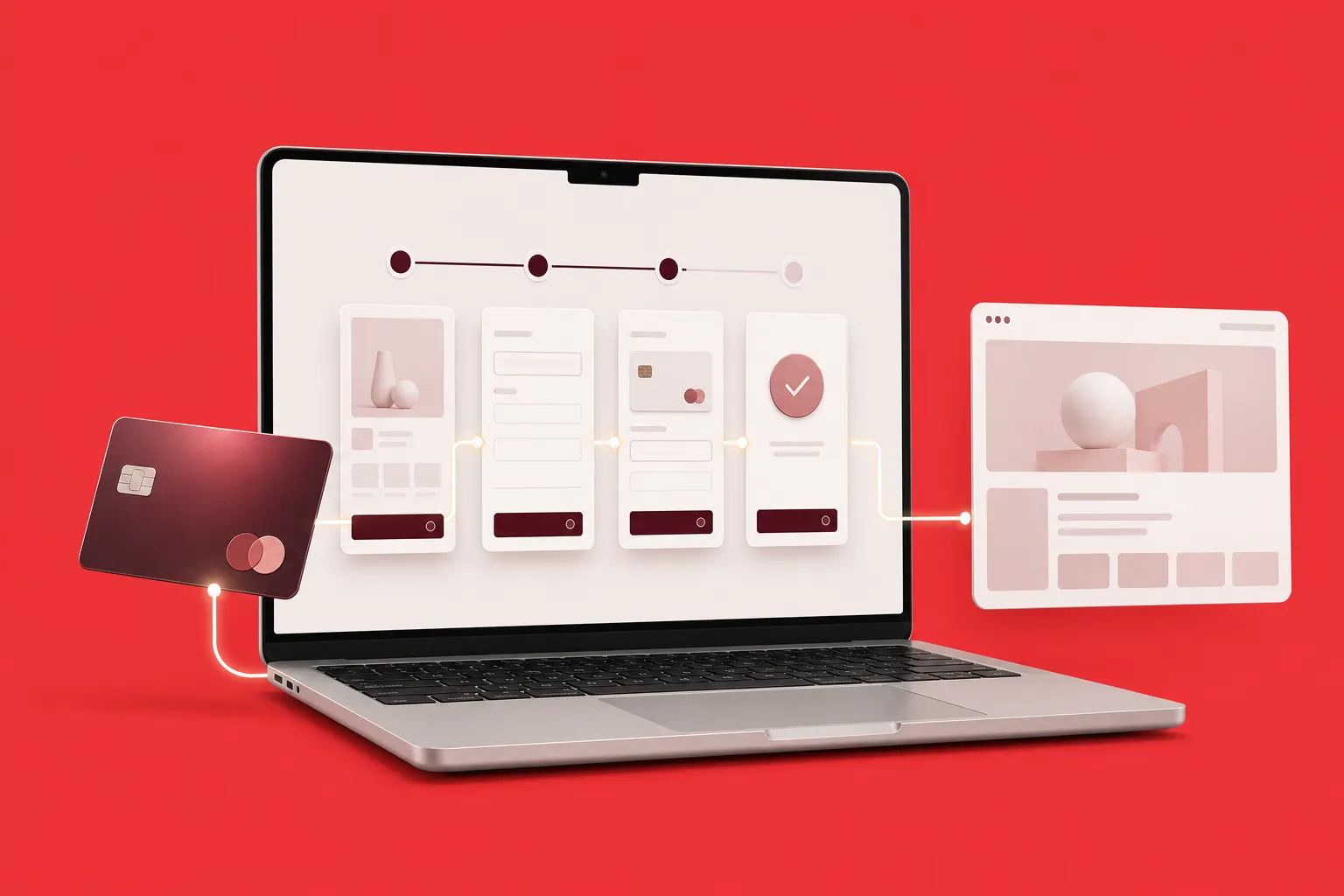
เทียบ 4 วิธีเชื่อม Stripe กับ Webflow ทั้ง Payment Links, Webflow Ecommerce, custom code และเครื่องมือเสริม พร้อมขั้นตอนจริงและเช็กลิสต์ก่อนเปิดรับเงิน
