Webflow Memberships: สร้างเว็บไซต์สำหรับคอร์สเรียนและชุมชน

การสร้าง online course platform หรือ community website ที่มี gated content เป็นโอกาสทางธุรกิจที่เติบโตอย่างต่อเนื่อง ตลาด online education คาดว่าจะมีมูลค่า 350,000 ล้านดอลลาร์ในปี 2025 ในขณะที่ membership economy เติบโต 18% ต่อปี
Webflow Memberships เป็นโซลูชันที่ช่วยให้คุณสร้างเว็บไซต์สมาชิกแบบ custom ได้เต็มรูปแบบ โดยไม่ต้องพึ่งพา platform สำเร็จรูปที่จำกัด design และ functionality ของคุณ บทความนี้จะพาคุณเข้าใจทุกมิติของ Webflow Memberships ตั้งแต่พื้นฐานจนถึงการ setup จริง
Webflow Memberships คืออะไร
Webflow Memberships คือฟีเจอร์ที่ช่วยให้คุณสร้างระบบสมาชิกบนเว็บไซต์ Webflow โดยไม่ต้องเขียนโค้ดหรือติดตั้ง plugin เพิ่มเติม คุณสามารถควบคุม access ให้กับ content ต่างๆ ได้ตามระดับสมาชิก
ระบบนี้ทำงานผ่าน user authentication ที่ integrate กับ Webflow Designer โดยตรง คุณสามารถสร้าง login pages, user accounts และ gated content areas ได้ในเวลาเพียงไม่กี่นาที
ฟีเจอร์หลักของ Webflow Memberships
User Account Management: ระบบจัดการบัญชีผู้ใช้แบบครบวงจร รองรับการสมัครสมาชิก login/logout การจัดการโปรไฟล์ และ password recovery โดยอัตโนมัติ
Gated Content: คุณสามารถกำหนดว่าหน้าไหนหรือ section ไหนจะแสดงให้เฉพาะสมาชิกระดับใดเห็น ทำได้ง่ายผ่าน visual interface ของ Webflow Designer
Multiple Access Groups: สร้างกลุ่มสมาชิกได้ไม่จำกัด เช่น Free Members, Premium Members, VIP Members โดยแต่ละกลุ่มเข้าถึง content ที่แตกต่างกัน
User Fields: เก็บข้อมูลเพิ่มเติมของสมาชิก เช่น phone number, company name หรือ preferences ต่างๆ ผ่าน custom fields
Stripe Integration: เชื่อมต่อกับ Stripe โดยตรงสำหรับรับชำระเงินแบบ one-time หรือ subscription recurring
Webflow Memberships vs Teachable vs Kajabi vs Thinkific
การเลือก platform สำหรับสร้าง online course หรือ membership site ต้องพิจารณาหลายปัจจัย ตารางด้านล่างเปรียบเทียบตัวเลือกหลักในตลาด
| ฟีเจอร์ | Webflow Memberships | Teachable | Kajabi | Thinkific |
|---|---|---|---|---|
| ราคาเริ่มต้น/เดือน | $29 | $39 | $149 | $49 |
| Transaction Fee | 2% | 5% (Basic) | 0% | 0% |
| Design Flexibility | เต็มรูปแบบ custom | จำกัด (themes) | ปานกลาง | ปานกลาง |
| Course Builder | ต้องสร้างเอง | Built-in ครบชุด | Built-in ครบชุด | Built-in ครบชุด |
| Quiz/Assignments | ต้อง integrate | มี | มี | มี |
| Certificates | ต้อง integrate | มี | มี | มี |
| Progress Tracking | ต้องสร้างเอง | มี | มี | มี |
| Email Marketing | ต้อง integrate | Limited | Built-in ครบชุด | Limited |
| Community Features | ต้องสร้างเอง | ไม่มี | มี (comments) | มี (communities) |
เมื่อไหร่ควรเลือก Webflow Memberships
Webflow Memberships เหมาะกับคุณถ้า:
- ต้องการควบคุม design และ user experience แบบเต็มรูปแบบ
- มีทีม developer หรือคุณเองมีทักษะ technical พอสมควร
- ต้องการ integrate กับระบบอื่นๆ แบบ custom
- สร้าง content hub หรือ community มากกว่า structured courses
- มีเว็บไซต์ Webflow อยู่แล้วและต้องการเพิ่มส่วน members
เมื่อไหร่ควรเลือก Teachable หรือ Kajabi
Platform สำเร็จรูปเหมาะกับคุณถ้า:
- ต้องการ all-in-one solution พร้อมใช้ทันที
- ไม่มีทีม technical หรือไม่ต้องการจัดการด้าน tech
- สร้าง structured courses ที่ต้องการ quiz, certificates และ progress tracking
- ต้องการ built-in email marketing (Kajabi)
- เน้น time-to-market เร็วกว่า customization
Pricing และ Plans ของ Webflow Memberships
Webflow Memberships มี pricing structure ที่แยกออกจาก Webflow hosting plans ปกติ คุณต้องอยู่ใน workspace plan ที่รองรับ Memberships และเลือก site plan ที่เหมาะสม
Site Plans สำหรับ Memberships
CMS Site Plan: $29/month - รองรับสมาชิกได้สูงสุด 1,000 คน transaction fee 2% เหมาะกับธุรกิจที่เริ่มต้นหรือชุมชนขนาดเล็ก
Business Plan: $49/month - รองรับสมาชิกได้สูงสุด 10,000 คน transaction fee 1.5% เหมาะกับธุรกิจที่กำลังเติบโต
Enterprise Plan: ราคาตามใบเสนอ - รองรับสมาชิกไม่จำกัด transaction fee ต่อรองได้ เหมาะกับองค์กรขนาดใหญ่
ค่าใช้จ่ายเพิ่มเติมที่ต้องคิด
Stripe Processing Fees: 2.9% + $0.30 ต่อ transaction สำหรับลูกค้าในสหรัฐฯ อัตราอาจแตกต่างกันตามประเทศ
Third-party Integrations: ถ้าต้องการฟีเจอร์เพิ่มเติมเช่น email marketing, video hosting หรือ course progress tracking อาจต้องเสียค่าบริการเพิ่ม
Developer Cost: ถ้าต้องการ custom functionality ที่ซับซ้อน อาจต้องจ้าง Webflow developer
Use Cases: ใช้ Webflow Memberships ทำอะไรได้บ้าง
1. Online Course Platform
สร้างแพลตฟอร์มสอนออนไลน์แบบ self-paced โดยแบ่ง course เป็น modules และ lessons ใช้ video hosting service เช่น Vimeo หรือ Wistia สำหรับ video content และ gate ให้เฉพาะสมาชิกที่ซื้อคอร์สเข้าถึง
คุณสามารถสร้าง course bundles หลายระดับ เช่น Basic Course ($99), Complete Bundle ($299) และ VIP Coaching ($999) โดยแต่ละระดับเข้าถึง content และ resources ที่แตกต่างกัน
2. Community และ Forum
สร้างชุมชนสำหรับสมาชิกที่มี shared interest โดยใช้ Webflow Memberships จัดการ access และผสมกับเครื่องมือ community เช่น Discourse หรือ Circle
ตัวอย่างเช่น fitness community ที่มี workout plans, nutrition guides และ forum สำหรับสมาชิกพูดคุยและ support กัน
3. Premium Content Subscription
สร้าง content subscription model เหมือน online magazine หรือ research platform โดยเผยแพร่ content ใหม่เป็นประจำและเก็บค่าสมาชิกรายเดือนหรือรายปี
ตัวอย่างเช่น marketing insights platform ที่เผยแพร่ case studies, templates และ industry reports เฉพาะสมาชิก
4. Knowledge Base สำหรับลูกค้า
สร้าง private knowledge base หรือ documentation portal สำหรับลูกค้าที่ซื้อผลิตภัณฑ์หรือบริการ มี tutorials, FAQs และ troubleshooting guides
คุณสามารถแบ่ง access ตามระดับ subscription ของลูกค้า เช่นลูกค้า Enterprise เข้าถึง premium support resources
5. Client Portal สำหรับ Agency
สร้าง portal สำหรับลูกค้าของ agency โดยแต่ละลูกค้ามี personalized dashboard เพื่อดู project progress, deliverables และ reports
ใช้ User Fields เก็บข้อมูลลูกค้าและ dynamically แสดง content ที่เฉพาะเจาะจงกับแต่ละคน
ข้อจำกัดของ Webflow Memberships ที่ควรรู้
ไม่มี Built-in Course Features
Webflow Memberships ไม่ได้มาพร้อมกับ course builder, quiz system หรือ progress tracking แบบ Teachable หรือ Kajabi คุณต้องสร้างเองหรือ integrate กับเครื่องมือภายนอก
แนวทางแก้ไข: ใช้ Airtable หรือ Google Sheets เก็บ progress data และใช้ Zapier หรือ Make sync กับ Webflow CMS, หรือใช้ custom code เขียน progress tracking system เอง
การจัดการ Content ขนาดใหญ่ซับซ้อน
ถ้าคุณมี course หลายสิบหรือหลายร้อยคอร์ส การจัดการผ่าน Webflow CMS อาจใช้เวลามากกว่า dedicated course platforms ที่มี bulk management tools
แนวทางแก้ไข: ใช้ Webflow API เพื่อ automate การสร้างและอัปเดต content หรือใช้ CSV import สำหรับ bulk operations
ไม่มี Native Video Hosting
Webflow ไม่ได้ host video content คุณต้องใช้ third-party service เช่น Vimeo Pro, Wistia หรือ Mux ซึ่งมีค่าใช้จ่ายเพิ่มเติม
แนวทางแก้ไข: เลือก video hosting ที่มี privacy controls และ analytics ดี เช่น Vimeo Pro ($75/month) หรือ Wistia (เริ่ม $99/month) และ embed ใน Webflow pages
Email Marketing ต้อง Integrate เอง
ไม่มี built-in email marketing เหมือน Kajabi คุณต้องเชื่อมต่อกับ Mailchimp, ConvertKit หรือ ActiveCampaign ด้วย Zapier หรือ Webflow API
แนวทางแก้ไข: ใช้ Zapier เชื่อม Webflow Memberships กับ email marketing platform เพื่อ trigger automated emails เมื่อมีสมาชิกใหม่หรือ subscription events
วิธี Setup Webflow Memberships ทีละขั้นตอน
ขั้นตอนที่ 1: Enable Memberships
เข้า Webflow Designer > Project Settings > Memberships > Enable Memberships คุณจะเห็น User Accounts panel เพิ่มเข้ามาใน Designer
กำหนด Access Groups ตามระดับสมาชิกที่ต้องการ เช่น Free Members, Premium Members, VIP Members
ขั้นตอนที่ 2: สร้าง Login และ Signup Pages
Webflow จะสร้าง default login และ signup pages ให้อัตโนมัติ คุณสามารถ customize design ได้เต็มรูปแบบ
เพิ่ม User Account forms จาก Add panel > Forms > User Account Form ซึ่งมี login form, signup form และ forgot password form
ออกแบบ user experience ให้ smooth เช่นเพิ่ม social proof, clear value proposition และ simple form fields
ขั้นตอนที่ 3: สร้าง Gated Content
เลือก page หรือ section ที่ต้องการ gate > Settings > Access > เลือก access group ที่อนุญาต
สร้าง content structure ที่ชัดเจน เช่น Course Overview (public) > Modules (gated for Premium) > Bonus Materials (gated for VIP)
ใช้ conditional visibility ซ่อน/แสดง elements ตาม access level เช่นแสดงปุ่ม "Upgrade to Premium" ให้ Free Members
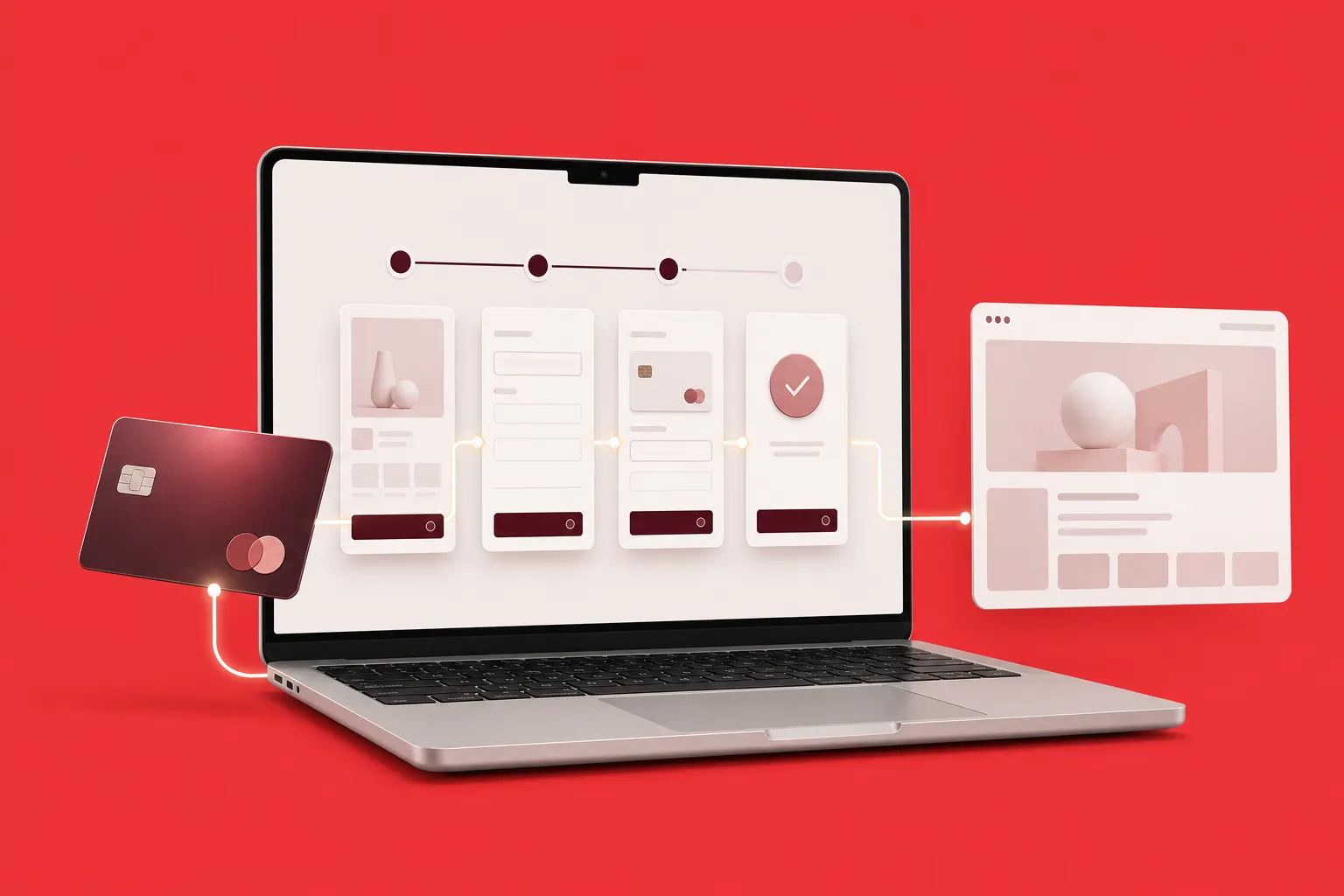
ขั้นตอนที่ 4: Setup Stripe Integration
ไป Project Settings > Memberships > Payments > Connect Stripe ใส่ Stripe API keys (ใช้ test mode ก่อนขณะทดสอบ)
สร้าง subscription plans ใน Stripe Dashboard > Products > เพิ่ม pricing (monthly/yearly) และ description
กลับมา Webflow เชื่อม Stripe product IDs กับ Access Groups ของคุณ เพื่อให้ระบบ grant access อัตโนมัติเมื่อมีการชำระเงิน
ขั้นตอนที่ 5: สร้าง User Dashboard
สร้างหน้า dashboard สำหรับสมาชิกดูโปรไฟล์ subscription status และ content progress
ใช้ User Fields แสดงข้อมูล personalized เช่น "Welcome back, [User Name]" และแสดง content recommendations ตาม user behavior
เพิ่มฟีเจอร์ manage subscription เช่นปุ่ม Cancel Subscription หรือ Update Payment Method ที่ link ไป Stripe Customer Portal
ขั้นตอนที่ 6: Test ระบบทั้งหมด
Test user journey ทั้งหมด: signup > email confirmation > login > access gated content > subscription payment > content unlocked
ทดสอบ edge cases เช่น failed payment, subscription cancellation และ password recovery
ใช้ Stripe test cards ทดสอบ payment scenarios ต่างๆ ก่อน go live
ขั้นตอนที่ 7: Launch และ Monitor
Switch Stripe จาก test mode เป็น live mode และ publish เว็บไซต์
Setup analytics tracking ด้วย Google Analytics หรือ Mixpanel เพื่อติดตาม conversion rate, churn rate และ user behavior
Monitor Webflow Memberships dashboard สำหรับ member growth และ subscription metrics
การผสม Webflow Memberships กับ MemberStack
MemberStack เป็น third-party tool ที่เพิ่ม functionality ให้ Webflow Memberships เช่น advanced user roles, content dripping และ custom workflows
ข้อดีของการใช้ MemberStack
Content Dripping: ปล่อย content ตามกำหนดเวลา เช่นปลดล็อก module ใหม่ทุกสัปดาห์
Advanced User Roles: สร้าง role hierarchy ที่ซับซ้อนกว่า access groups ของ Webflow
Better Analytics: dashboard แสดง member insights และ revenue metrics ที่ละเอียดกว่า
Multiple Payment Gateways: รองรับ PayPal, Apple Pay และ payment methods อื่นๆ นอกจาก Stripe
ข้อเสียของการใช้ MemberStack
มีค่าใช้จ่ายเพิ่ม: MemberStack เริ่ม $25/month สำหรับ 25 members แรก และเพิ่มขึ้นตามจำนวนสมาชิก
Dependency เพิ่ม: พึ่งพา third-party service อีกตัว ถ้า MemberStack down หรือมีปัญหาจะกระทบระบบทั้งหมด
Learning curve: ต้องเรียนรู้ระบบของ MemberStack เพิ่มเติม นอกจาก Webflow
เมื่อไหร่ควรใช้ MemberStack
พิจารณาใช้ MemberStack ถ้า:
- ต้องการ content dripping สำหรับ course delivery แบบ scheduled
- ต้องการ user role management ที่ซับซ้อน
- ต้องการ payment options มากกว่า Stripe
- ต้องการ analytics และ reporting ที่ดีกว่า default Webflow
Best Practices สำหรับ Webflow Memberships
1. ออกแบบ Onboarding Experience ที่ดี
First impression สำคัญมาก สร้าง welcome sequence ที่ชัดเจน: signup > email verification > welcome message > quick start guide > first content
ใช้ progressive disclosure ไม่ทำให้สมาชิกใหม่ overwhelmed ด้วย content ทั้งหมดพร้อมกัน แนะนำ starting point และ recommended path
2. เพิ่ม Social Proof และ Testimonials
แสดง member count, testimonials และ success stories บน landing page และ pricing page เพื่อเพิ่ม credibility
ใช้ Webflow CMS เก็บ testimonials แล้วแสดงแบบ dynamic ง่ายต่อการอัปเดต
3. สร้าง Clear Content Hierarchy
จัด content ให้มี structure ชัดเจน ใช้ categories, tags และ visual indicators บอกว่า content ไหนเป็น beginner/intermediate/advanced
สร้าง navigation ที่ใช้งานง่าย สมาชิกหา content ที่ต้องการเจอเร็ว
4. Optimize สำหรับ Mobile
สมาชิกหลายคนเข้าถึง content ผ่านมือถือ ทดสอบ responsive design ทุก breakpoint และทำให้ video และ content อื่นๆ เล่นได้ smooth บนมือถือ
5. Setup Email Notifications
ใช้ Zapier เชื่อม Webflow Memberships กับ email platform ส่ง automated emails เช่น:
- Welcome email เมื่อสมัครสมาชิก
- New content notification เมื่อมี content ใหม่
- Subscription reminder ก่อนต่ออายุ
- Win-back campaign สำหรับ inactive members
6. Monitor และ Improve อย่างต่อเนื่อง
Track key metrics: signup conversion rate, churn rate, engagement rate และ lifetime value
ใช้ heatmaps และ session recordings ดู user behavior และหาจุดที่สมาชิก stuck หรือ confused
ทำ A/B testing กับ pricing, copy และ onboarding flow เพื่อ optimize conversion
Case Study: ธุรกิจที่ประสบความสำเร็จกับ Webflow Memberships
Agency Client Portal
Agency แห่งหนึ่งสร้าง client portal ด้วย Webflow Memberships เพื่อให้ลูกค้าเข้าถึง project deliverables และ reports
ผลลัพธ์: ลดเวลาติดต่อกับลูกค้าผ่าน email 40% เพราะลูกค้าเข้าดูข้อมูลเองได้ตลอดเวลา client satisfaction score เพิ่มขึ้น 25%
Online Course สำหรับ Designers
Instructor สร้าง course platform สอน design ด้วย Webflow Memberships ใช้ Vimeo สำหรับ video hosting และ Airtable เก็บ student progress
ผลลัพธ์: ได้ flexibility ในการ customize learning experience ที่ Teachable ทำไม่ได้ รายได้ $15,000 ในเดือนแรก
Fitness Community
Personal trainer สร้าง fitness community ด้วย workout plans และ nutrition guides โดยใช้ Webflow Memberships จัดการ access
ผลลัพธ์: มีสมาชิก 500 คนภายใน 6 เดือน MRR $10,000 churn rate ต่ำกว่า 5% เพราะมี community engagement สูง
เทรนด์และอนาคตของ Online Memberships
Cohort-based Learning
การเรียนแบบกลุ่มที่เริ่มพร้อมกันและเรียนไปด้วยกัน แทน self-paced แบบเดิม เทรนด์นี้กำลังเติบโตเพราะ completion rate สูงกว่า
Webflow Memberships สามารถรองรับด้วยการสร้าง cohort-specific access groups และ content dripping
Micro-memberships
Membership แบบราคาถูก ($5-10/month) แต่ให้ value เฉพาะเจาะจง เช่น template library, weekly newsletter หรือ community access
โมเดลนี้ทำให้ conversion rate สูงเพราะ barrier to entry ต่ำ และ scale ได้ด้วยจำนวนสมาชิกมาก
AI-powered Personalization
ใช้ AI แนะนำ content ที่เหมาะกับแต่ละสมาชิกตาม behavior และ preferences
Webflow Memberships สามารถ integrate กับ recommendation engines ผ่าน API และแสดง personalized content ด้วย conditional visibility
Hybrid Online-Offline Experiences
ผสม online membership กับ offline events, workshops หรือ meetups สร้าง stronger community และ higher retention
ใช้ Webflow Memberships จัดการ access ให้ online content และ event registration forms สำหรับ offline events
เครื่องมือเสริมที่ควรใช้กับ Webflow Memberships
Video Hosting
Vimeo Pro: $75/month privacy controls ดี analytics ครบ support 4K และมี API สำหรับ custom integrations
Wistia: เริ่ม $99/month เน้น marketing features มี lead capture forms และ detailed engagement analytics
Mux: pay-as-you-go pricing เหมาะกับธุรกิจขนาดใหญ่ มี advanced video infrastructure และ analytics
Email Marketing
ConvertKit: เริ่ม $29/month สร้างมาสำหรับ creators มี automation และ landing pages
ActiveCampaign: เริ่ม $29/month advanced automation และ CRM features เหมาะกับธุรกิจที่ใหญ่ขึ้น
Analytics และ Insights
Mixpanel: track user behavior และ engagement metrics ละเอียดกว่า Google Analytics
Hotjar: heatmaps และ session recordings เพื่อเข้าใจว่าสมาชิกใช้งานเว็บไซต์อย่างไร
Automation
Zapier: เชื่อม Webflow Memberships กับ apps อื่นๆ 6000+ ตัว
Make (Integromat): advanced automation ที่ซับซ้อนกว่า Zapier แต่ใช้งานยากกว่าเล็กน้อย
สรุป: Webflow Memberships เหมาะกับคุณหรือไม่
Webflow Memberships เป็นตัวเลือกที่ excellent สำหรับผู้ที่ต้องการ full control ในการสร้าง membership site โดยไม่ถูกจำกัดด้วย templates หรือ platform restrictions
แม้จะต้องใช้เวลา setup และ integrate มากกว่า all-in-one platforms แต่ flexibility และ customization ที่ได้รับคุ้มค่าสำหรับธุรกิจที่ต้องการ differentiate ด้วย unique design และ user experience
ถ้าคุณมีทีม technical หรือพร้อมเรียนรู้ และต้องการสร้าง online course, community หรือ content subscription ที่โดดเด่น Webflow Memberships คือ option ที่ควรพิจารณาอย่างจริงจัง
เริ่มต้นด้วย free trial ของ Webflow ทดลอง setup Memberships และ test ว่า workflow เหมาะกับธุรกิจของคุณหรือไม่ ก่อนตัดสินใจ commit เต็มรูปแบบ
บทความแนะนำ
- Finsweet Attributes: เพิ่มความสามารถให้ Webflow แบบไม่ต้องเขียนโค้ด - เรียนรู้การใช้ Finsweet Attributes เสริม functionality ให้ Webflow Memberships ของคุณ
- Webflow Logic Updates 2025: อัปเดตใหม่ที่ทำให้การสร้าง Dynamic Content ง่ายขึ้น - ติดตามฟีเจอร์ใหม่ของ Webflow ที่จะช่วยให้ membership site คุณทรงพลังยิ่งขึ้น
- Programmatic SEO ด้วย Webflow และ n8n: สร้างหน้า Landing Page อัตโนมัติ - automate การสร้าง landing pages สำหรับ membership tiers ต่างๆ
- Real-time Lead Scoring ด้วย Webflow, n8n และ Clearbit - personalize member experience ด้วย data enrichment และ lead scoring
Recent Blog

เว็บของคุณไม่สามารถสร้างยอดขาย? ปรับปรุงเว็บไซต์เพื่อแก้ปัญหานี้ และเรียนรู้วิธีที่ช่วยเพิ่มประสิทธิภาพทันที...

เคยรู้สึกไหมว่าเว็บไซต์ของคุณไม่สามารถดึงดูดลูกค้าได้? ลองศึกษา 5 เทคนิคที่ช่วยให้คุณสามารถปรับปรุงเว็บไซต์ให้ดียิ่งขึ้นและเพิ่มอัตราการแปลงลูกค้าได้อย่างแท้จริง อ่านต่อ...

เคยรู้สึกหงุดหงิดเมื่อเว็บไซต์โหลดช้าใช่ไหม? ปัญหานี้สามารถแก้ไขได้ด้วยการออกแบบที่ถูกต้อง อ่านต่อเพื่อค้นหาวิธีที่คุณจะเปลี่ยนประสบการณ์ผู้ใช้!