Topic Clusters vs. Pillar Pages: วางโครงสร้างคอนเทนต์อย่างไรให้ครองอันดับ

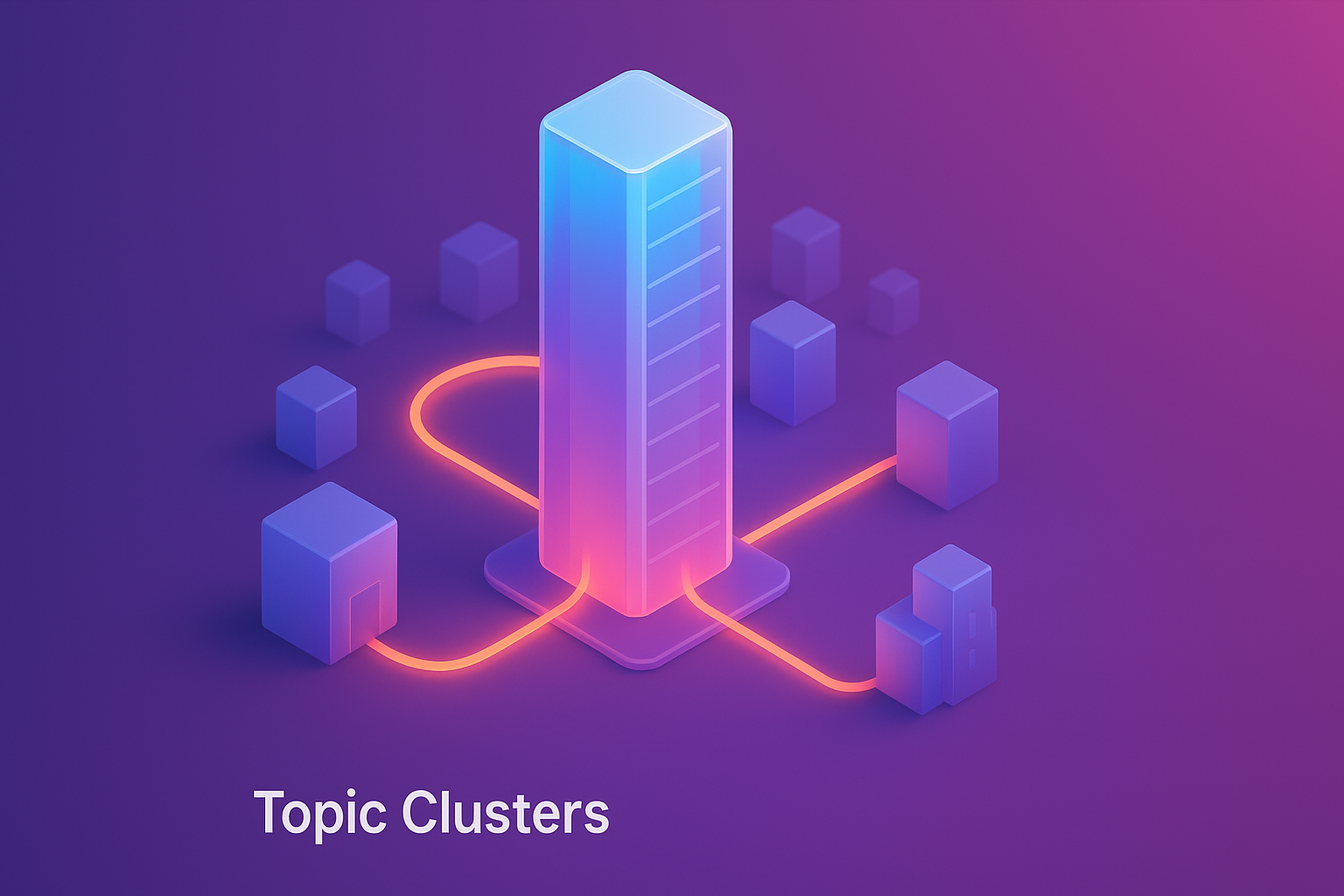
Topic Clusters คือโมเดลการจัดโครงสร้างคอนเทนต์ที่ใช้ Pillar Page เป็นศูนย์กลาง เชื่อมโยงกับ Cluster Content หลายบทความ แทนที่จะสร้างคอนเทนต์แบบกระจัดกระจาย โมเดลนี้ช่วยให้ search engine เข้าใจ topical authority ของเว็บไซต์ดีขึ้น ส่งผลให้อันดับการค้นหาดีขึ้นทั้งหมวด บทความนี้จะอธิบาย Topic Cluster Model วิธีสร้าง Pillar Page ความแตกต่างระหว่าง Pillar กับ Cluster และกลยุทธ์การทำ Internal Linking อย่างมีประสิทธิภาพ
Topic Cluster Model คืออะไร? เหมาะกับ SEO ยุคใหม่อย่างไร
Topic Cluster Model เป็นกลยุทธ์การจัดโครงสร้างคอนเทนต์ที่ HubSpot พัฒนาขึ้นและเริ่มใช้ตั้งแต่ปี 2017 เพื่อตอบสนองต่อการเปลี่ยนแปลงของ Google algorithm ที่เน้น semantic search และความเข้าใจบริบทมากขึ้น
โครงสร้างของ Topic Cluster Model
โมเดลนี้ประกอบด้วย 3 ส่วนหลัก:
- Pillar Page (เพจหลัก): บทความยาวครอบคลุมหัวข้อใหญ่อย่างกว้างๆ แต่ไม่ลงลึกมาก
- Cluster Content (บทความย่อย): บทความหลายชิ้นที่ลงลึกในแง่มุมเฉพาะของหัวข้อใหญ่
- Hyperlinks (การเชื่อมโยง): Internal links เชื่อม pillar กับ clusters และ clusters ต่อกัน
ภาพรวมของโครงสร้าง:
[Pillar Page]
"Web Design Guide"
|
|
+----------------+----------------+
| | |
[Cluster 1] [Cluster 2] [Cluster 3]
"UI Design" "UX Research" "Responsive Design"
| | |
+---+---+ +---+---+ +---+---+
| | | | | | | | |
[Sub] [Sub] [Sub] [Sub] [Sub] [Sub] [Sub] [Sub] [Sub]
การเชื่อมโยง:
- Pillar → Cluster (ทุกตัว)
- Cluster → Pillar (ทุกตัว)
- Cluster ↔ Cluster ที่เกี่ยวข้อง
ทำไม Topic Cluster Model ถึงได้ผลในยุค Semantic Search
1. Google เข้าใจความสัมพันธ์ของคอนเทนต์
อัลกอริทึมสมัยใหม่ (BERT, MUM, RankBrain) ไม่ได้มองแค่ keywords แยกกัน แต่เข้าใจ:
- Context: คำเดียวกันในบริบทต่างกันหมายความแตกต่าง
- Intent: ผู้ใช้ค้นหาเพื่ออะไร (informational, navigational, transactional)
- Entity relationships: เข้าใจความสัมพันธ์ระหว่าง topics
- Topical depth: เว็บมีความเชี่ยวชาญในหัวข้อนี้แค่ไหน
Topic Cluster Model ตอบโจทย์เพราะ:
- แสดงความสัมพันธ์ระหว่าง topics ชัดเจนผ่าน structure และ internal links
- ครอบคลุมหัวข้อแบบ comprehensive (breadth + depth)
- สร้าง topical authority ในสายตา Google
2. User Experience ที่ดีกว่า
ผู้ใช้ได้ประโยชน์จาก:
- Navigation ง่าย: Pillar page เป็น hub ให้เข้าถึงข้อมูลทุกมุม
- ข้อมูลครบถ้วน: ไม่ต้องไปหาจากหลายเว็บ
- Depth on demand: อ่านแบบ overview ที่ pillar หรือลงลึกที่ cluster
- Related content discovery: ค้นพบคอนเทนต์ที่เกี่ยวข้องง่าย
3. ประสิทธิภาพ SEO ที่ดีขึ้น
ข้อมูลจาก HubSpot case studies:
| Metric | Before Clusters | After Clusters | Improvement |
|---|---|---|---|
| Organic Traffic | Baseline | +40-50% | ในปีแรก |
| Ranking Keywords | Baseline | +200-300% | ใน 6-12 เดือน |
| Page 1 Rankings | Baseline | +35% | สำหรับ pillar topics |
| Time on Site | Baseline | +25% | จาก better navigation |
| Bounce Rate | Baseline | -15% | จาก relevant internal links |
Topic Clusters vs. Traditional Silo Structure
| ลักษณะ | Traditional Silo | Topic Cluster Model |
|---|---|---|
| โครงสร้าง | Category → Subcategory → Post (แนวตั้ง) | Pillar → Clusters (แนวรัศมี) |
| Internal Linking | เชื่อมในสาย hierarchy เดียวกัน | เชื่อมแบบ hub-and-spoke + cross-cluster |
| Focus | Keywords แยกกัน | Topics และความสัมพันธ์ |
| Content Strategy | สร้างตาม keywords research | สร้างตาม topic mapping |
| ความยืดหยุ่น | แข็งทื่อ เพิ่มใหม่ยาก | ยืดหยุ่น เพิ่ม cluster ได้เรื่อยๆ |
| Topical Authority | กระจาย | รวมศูนย์ที่ pillar |
Pillar Page คืออะไร? มีกี่ประเภท
Pillar Page คือบทความหลักที่ครอบคลุมหัวข้อใหญ่อย่างกว้างขวาง ทำหน้าที่เป็น "hub" หรือศูนย์กลางของ topic cluster
ลักษณะของ Pillar Page ที่ดี
- Comprehensive Coverage: ครอบคลุมทุกแง่มุมหลักของหัวข้อ แต่ไม่ลงลึกมากจนเกินไป
- Long-form Content: โดยทั่วไป 3,000-5,000+ คำ (บางเคสถึง 10,000+ คำ)
- Evergreen: เนื้อหาไม่ล้าสมัยเร็ว สามารถอัพเดทได้ต่อเนื่อง
- Well-structured: มี table of contents, หัวข้อย่อยชัดเจน, ง่ายต่อการ navigate
- Strategic Internal Links: ลิงก์ไปยัง cluster content ทั้งหมดที่เกี่ยวข้อง
- High-quality: มี visuals, examples, data, actionable insights
3 ประเภทของ Pillar Page
1. Guide Pillar Page (Resource Pillar)
เป็นคู่มือครบวงจรสำหรับหัวข้อหนึ่ง ครอบคลุมตั้งแต่พื้นฐานจนขั้นสูง
โครงสร้างทั่วไป:
- Introduction: หัวข้อนี้คืออะไร ทำไมสำคัญ
- Fundamentals: พื้นฐานที่ต้องรู้
- How-to sections: วิธีทำทีละขั้นตอน
- Advanced topics: เทคนิคขั้นสูง
- Tools & resources: เครื่องมือที่ควรใช้
- Best practices & tips: แนวทางปฏิบัติที่ดี
- Common mistakes: ข้อผิดพลาดที่ควรหลีกเลี่ยง
ตัวอย่าง:
- "The Complete Guide to Email Marketing"
- "SEO Guide 2026: Everything You Need to Know"
- "Web Design Guide: From Planning to Launch"
เหมาะกับ:
- Topics ที่มีหลายแง่มุม
- Target audience ตั้งแต่ beginner ถึง advanced
- Educational content
2. What Is Pillar Page (Definitional Pillar)
อธิบายคำจำกัดความ ประเภท ประโยชน์ และการใช้งานของหัวข้อหนึ่ง
โครงสร้างทั่วไป:
- Definition: หัวข้อนี้คืออะไร
- Types/Categories: มีกี่ประเภท แตกต่างกันอย่างไร
- Benefits: ประโยชน์ที่ได้รับ
- Use cases: ใช้ในสถานการณ์ไหน
- How it works: ทำงานอย่างไร
- Comparison: เทียบกับทางเลือกอื่น
- Getting started: เริ่มต้นอย่างไร
ตัวอย่าง:
- "What is Content Marketing?"
- "What is Headless CMS?"
- "What is Growth Marketing?"
เหมาะกับ:
- Topics ที่คนยังไม่รู้จักมาก
- Terms ที่ต้องการ brand awareness
- Informational intent keywords
3. How-To Pillar Page (Process Pillar)
แสดงกระบวนการหรือ workflow ครบวงจร
โครงสร้างทั่วไป:
- Overview: กระบวนการนี้คืออะไร
- Step-by-step process: แต่ละขั้นตอนทำอะไร
- Required resources: ต้องการอะไรบ้าง
- Timeline: ใช้เวลานานแค่ไหน
- Common challenges: อุปสรรคที่เจอบ่อย
- Success metrics: วัดความสำเร็จอย่างไร
- Next steps: ทำอะไรต่อหลังจากนี้
ตัวอย่าง:
- "How to Build a Website from Scratch"
- "How to Launch a Product Successfully"
- "How to Create a Content Strategy"
เหมาะกับ:
- Process-based topics
- Transactional/commercial intent
- Step-by-step guidance
ตารางเปรียบเทียบ Pillar Page แต่ละประเภท
| ลักษณะ | Guide Pillar | What Is Pillar | How-To Pillar |
|---|---|---|---|
| ความยาว | 4,000-10,000+ คำ | 2,500-4,000 คำ | 3,000-6,000 คำ |
| Depth | Comprehensive (กว้าง + ลึก) | Broad overview | Process-focused (ลึกในกระบวนการ) |
| Search Intent | Informational + Commercial | Informational | Commercial + Transactional |
| Target Audience | All levels | Beginners + Researchers | Ready to take action |
| Conversion Potential | ปานกลาง-สูง | ต่ำ-ปานกลาง (awareness stage) | สูง (decision stage) |
| Update Frequency | 2-4 ครั้ง/ปี | 1-2 ครั้ง/ปี | 2-3 ครั้ง/ปี |
Cluster Content คืออะไร? แตกต่างจาก Pillar Page อย่างไร
Cluster Content คือบทความที่ลงลึกในแง่มุมเฉพาะของหัวข้อใหญ่ ทำหน้าที่สนับสนุน Pillar Page
ลักษณะของ Cluster Content
- Focused & Specific: พูดถึงเรื่องเดียว ลงลึกมากกว่า pillar
- Medium-length: โดยทั่วไป 1,500-3,000 คำ
- Target Long-tail Keywords: keywords ที่เฉพาะเจาะจงกว่า
- Link Back to Pillar: มี contextual link กลับไป pillar page เสมอ
- Interconnected: เชื่อมโยงกับ cluster อื่นที่เกี่ยวข้อง
ความแตกต่างระหว่าง Pillar Page และ Cluster Content
| ลักษณะ | Pillar Page | Cluster Content |
|---|---|---|
| ขอบเขตหัวข้อ | Broad topic (กว้าง) | Specific subtopic (แคบ) |
| ความลึก | ครอบคลุมทุกแง่มุม แต่ไม่ลึกมาก | ลงลึกในแง่มุมเดียว |
| Keywords | Head keywords (high volume) | Long-tail keywords (lower volume) |
| ความยาว | 3,000-10,000+ คำ | 1,500-3,000 คำ |
| SEO Intent | Rank สำหรับ main topic | Rank สำหรับ specific queries |
| Position | Hub (ศูนย์กลาง) | Spoke (รัศมี) |
| Internal Links | ลิงก์ออกไปยัง clusters ทั้งหมด | ลิงก์กลับไป pillar + clusters อื่น |
| Update Priority | สูง (ต้องเป็นปัจจุบันเสมอ) | ปานกลาง |
| จำนวน | 1 pillar ต่อ 1 topic | 5-30 clusters ต่อ 1 pillar |
ตัวอย่างการแยก Pillar vs. Clusters
Example 1: Content Marketing
Pillar Page: "The Complete Guide to Content Marketing" (5,000 คำ)
- ครอบคลุม: Strategy, Types of content, Distribution, Measurement, Tools
Cluster Content (15 บทความ):
- "How to Create a Content Marketing Strategy" (2,500 คำ)
- "Blog Post Writing Guide" (2,000 คำ)
- "Video Marketing Best Practices" (2,200 คำ)
- "Content Distribution Channels Comparison" (1,800 คำ)
- "How to Measure Content Marketing ROI" (2,400 คำ)
- "Best Content Calendar Tools 2026" (1,600 คำ)
- "SEO Content Writing Tips" (2,000 คำ)
- "User-Generated Content Strategy" (1,900 คำ)
- "How to Repurpose Content" (1,700 คำ)
- ... และอื่นๆ
Example 2: Web Design
Pillar Page: "Web Design Guide 2026" (6,000 คำ)
Cluster Content Groups:
| Sub-theme | Cluster Articles |
|---|---|
| UI Design |
- Typography Guide - Color Theory for Web - White Space in Design - Visual Hierarchy Principles |
| UX Design |
- User Research Methods - Wireframing Best Practices - Usability Testing Guide - Information Architecture |
| Responsive Design |
- Mobile-First Design - Breakpoint Strategy - Touch-Friendly UI - Responsive Images |
| Performance |
- Page Speed Optimization - Image Optimization - CSS/JS Optimization - Core Web Vitals |
| Accessibility |
- WCAG Guidelines - Keyboard Navigation - Screen Reader Optimization - Color Contrast |
วิธีสร้าง Topic Cluster: Step-by-Step Process
การสร้าง topic cluster ที่มีประสิทธิภาพต้องมีการวางแผนอย่างเป็นระบบ
Step 1: Topic Research & Selection
เลือกหัวข้อที่จะสร้าง cluster
เกณฑ์การเลือก Topic:
- Relevant to Business: เกี่ยวข้องกับสินค้า/บริการ หรือ target audience
- High Search Volume: มีคนค้นหาหัวข้อนี้พอสมควร
- Broad Enough: กว้างพอที่จะมี subtopics ได้ 10-30 เรื่อง
- Expertise Match: เรามีความเชี่ยวชาญในหัวข้อนี้
- Commercial Potential: สามารถนำไปสู่ conversion ได้
Tools สำหรับหา Topics:
- Google Search Console: ดู queries ที่มี impressions สูงแต่ CTR ต่ำ
- Ahrefs/SEMrush: Content Gap analysis, Topic Research tool
- AnswerThePublic: ดูคำถามที่คนถามเกี่ยวกับ topic
- Google Trends: ดู trend และ related topics
- Competitors: วิเคราะห์ว่าคู่แข่งสร้าง content อะไรบ้าง
Step 2: Keyword Research & Mapping
หา keywords ทั้งหมดที่เกี่ยวข้องกับ topic และจัดกลุ่ม
วิธีทำ Keyword Mapping:
- หา Head Keyword สำหรับ Pillar:
- ควรมี search volume สูง (1,000+/month)
- เป็น broad topic
- Difficulty ปานกลาง-สูง
- หา Long-tail Keywords สำหรับ Clusters:
- Search volume ต่ำกว่า (100-1,000/month)
- Specific queries
- Lower difficulty (แข่งขันน้อยกว่า)
- จัดกลุ่ม Keywords:
- Group by search intent
- Group by subtopic
- ระบุความสัมพันธ์ระหว่าง keywords
ตัวอย่าง Keyword Mapping:
| Level | Keyword | Volume | Difficulty | Intent |
|---|---|---|---|---|
| Pillar | email marketing | 60,500 | 65 | Informational |
| Cluster 1 | email marketing strategy | 2,900 | 45 | Informational |
| Cluster 2 | email subject lines | 1,600 | 35 | Informational |
| Cluster 3 | email automation tools | 1,300 | 50 | Commercial |
| Cluster 4 | email open rate benchmark | 880 | 28 | Informational |
| Cluster 5 | how to write marketing email | 720 | 32 | Informational |
Step 3: Content Planning
วางแผน content สำหรับทั้ง pillar และ clusters
Pillar Page Content Plan:
- Outline: สร้าง comprehensive outline ครอบคลุมทุก subtopic
- Table of Contents: วางแผน TOC ที่จะใช้
- Internal Link Strategy: ระบุว่าจะลิงก์ไปที่ clusters ไหนบ้าง
- Visuals: วางแผน images, infographics, videos ที่ต้องการ
- CTAs: วางแผน conversion points
Cluster Content Plan:
สร้าง spreadsheet วางแผนทั้ง cluster:
| Title | Target Keyword | Word Count | Priority | Status |
|---|---|---|---|---|
| Email Marketing Strategy 2026 | email marketing strategy | 2,500 | High | Planning |
| 50 Email Subject Lines That Work | email subject lines | 2,000 | High | Draft |
| Best Email Marketing Tools 2026 | email marketing tools | 3,000 | Medium | Published |
Step 4: Create Pillar Page First
เริ่มจาก pillar page ก่อน clusters
ทำไมต้องสร้าง Pillar ก่อน:
- เป็น "hub" ที่ clusters จะลิงก์กลับมา
- ช่วยให้เห็นภาพรวมของ topic ชัดเจน
- สามารถ identify gaps ในความรู้
- วางแผน clusters ได้แม่นยำขึ้น
Pillar Page Structure ที่แนะนำ:
1. Title + Hero Section
- Catchy title with main keyword
- Brief intro (what/why/who)
2. Table of Contents
- Clickable links to sections
- Show content depth
3. Introduction
- What is [topic]?
- Why it matters
- Who should read this
4. Main Content Sections (5-10 sections)
- แต่ละ section ครอบคลุม subtopic หนึ่ง
- Overview level (ไม่ลงลึกจนเกิน)
- ลิงก์ไป cluster ที่ลงลึกเรื่องนั้น
5. Examples/Case Studies
- Real-world applications
6. Tools & Resources
- Recommended tools
- Templates/checklists
7. FAQ Section
- Common questions
8. Conclusion
- Key takeaways
- Next steps
9. Related Content (Cluster Links)
- "Read more" section
- ลิงก์ clusters ทั้งหมด
Step 5: Create Cluster Content
สร้าง clusters ทีละบทความ
Cluster Content Structure:
1. Title + Introduction
- Specific title with long-tail keyword
- Brief intro + link back to pillar
2. Main Content
- In-depth coverage of subtopic
- 1,500-3,000 words
3. How-to/Examples
- Practical, actionable content
4. Related Clusters
- Link ไป 2-3 clusters อื่นที่เกี่ยวข้อง
5. Back to Pillar CTA
- "For complete guide, see [Pillar Title]"
6. Conversion CTA
- Newsletter, demo, download, etc.
Order of Creation:
- High-priority clusters ก่อน: Keywords ที่มี volume สูง หรือ commercial intent
- Foundation topics: เรื่องที่ต้องรู้ก่อนเรื่องอื่น
- Supporting clusters: เรื่องที่เติมเต็ม topic
Step 6: Internal Linking Strategy
เชื่อมโยง content ทั้งหมดอย่างมีกลยุทธ์
Linking Rules:
- Pillar → Clusters:
- Pillar ต้องลิงก์ไปยัง clusters ทั้งหมด
- ใช้ contextual anchor text
- ลิงก์อยู่ใน relevant section
- Clusters → Pillar:
- ทุก cluster ต้องลิงก์กลับไป pillar
- ลิงก์ใน intro และ/หรือ conclusion
- Anchor text = pillar title หรือ variation
- Clusters ↔ Clusters:
- ลิงก์ระหว่าง clusters ที่เกี่ยวข้อง
- แต่ละ cluster ควรลิงก์ไป 2-4 clusters อื่น
- สร้าง semantic relationship
Internal Linking Best Practices:
- Contextual links: ลิงก์ควรอยู่ใน context ที่เหมาะสม ไม่ใช่แค่รายการลิงก์ด้านล่าง
- Descriptive anchor text: ใช้ anchor text ที่บอกว่าลิงก์นี้ไปเจออะไร
- Natural flow: อย่าสอดลิงก์ฝืนๆ ต้องเป็นธรรมชาติ
- Don't overdo: อย่าลิงก์มากจนรบกวนการอ่าน
- Regular audit: ตรวจสอบว่า links ยังใช้งานได้และ relevant
Step 7: Promote & Monitor
เผยแพร่และติดตามผล
Promotion Strategy:
- Email newsletter ประกาศ pillar page
- Social media posts (multiple times)
- Guest posts linking back to pillar
- Influencer outreach
- Paid promotion สำหรับ pillar
Metrics to Monitor:
| Metric | What to Track | Goal |
|---|---|---|
| Rankings | Position สำหรับ target keywords (pillar + clusters) | Improve over time |
| Organic Traffic | Sessions ทั้ง cluster | เพิ่มขึ้นอย่างต่อเนื่อง |
| Internal Link Clicks | CTR ของ internal links | > 5% |
| Time on Page | Engagement ใน pillar | > 5 นาที |
| Conversion Rate | Leads/Sales จาก cluster | ตาม benchmark |
| Backlinks | External links ที่ชี้มา pillar | เพิ่มขึ้นเรื่อยๆ |
Step 8: Maintain & Expand
อัพเดทและเพิ่ม clusters ใหม่ต่อเนื่อง
Maintenance Schedule:
- Pillar Page: Review ทุก 3-6 เดือน อัพเดทข้อมูล stats เพิ่ม sections ใหม่
- Cluster Content: Review ทุก 6-12 เดือน อัพเดทข้อมูลที่ล้าสมัย
- Internal Links: Audit ทุก quarter ตรวจสอบ broken links เพิ่มลิงก์ใหม่
Expansion Strategy:
- ดู Search Console หา new keywords ที่เริ่มมี impressions
- วิเคราะห์ content gaps เทียบกับคู่แข่ง
- สร้าง clusters ใหม่ตอบคำถามที่ยังขาด
- เมื่อ cluster ครบครัน พิจารณาสร้าง pillar ใหม่สำหรับ topic อื่น
เครื่องมือสำหรับสร้างและจัดการ Topic Clusters
Content Strategy & Planning Tools
| Tool | Features | ราคา | Best For |
|---|---|---|---|
| HubSpot Content Strategy | Topic cluster planning, SEO recommendations, Content organization | Included in Marketing Hub | HubSpot users |
| Ahrefs | Keyword research, Content Gap, Site audit, Rank tracking | $99-$999/mo | Comprehensive SEO |
| SEMrush | Topic Research tool, SEO Writing Assistant, Content audit | $119.95-$449.95/mo | Content marketing teams |
| MarketMuse | AI-powered content briefs, Topic modeling, Competitive analysis | $149-$599/mo | Enterprise content teams |
Keyword Research Tools
- Google Keyword Planner: Free, ข้อมูลตรงจาก Google
- AnswerThePublic: ดูคำถามที่คนถาม
- Ubersuggest: Affordable alternative ($29/mo)
- Moz Keyword Explorer: Keyword difficulty + SERP analysis
Content Management & Organization
- Notion: สร้าง content calendar + cluster maps
- Airtable: Database-style content planning
- Trello: Kanban boards สำหรับ content workflow
- Google Sheets: Simple spreadsheet tracking
Internal Linking Tools
- Link Whisper (WordPress): Auto-suggest internal links
- Screaming Frog: Crawl site, analyze internal link structure
- Ahrefs Site Audit: Internal link opportunities
- Google Search Console: ดู internal links ของแต่ละหน้า
Visualization Tools
- MindMeister: สร้าง topic cluster mind maps
- Lucidchart: Flowcharts + diagrams
- Miro: Collaborative whiteboard
- Figma: Design cluster architecture visually
กรณีศึกษา: Topic Cluster ที่ประสบความสำเร็จ
Case Study 1: HubSpot's Marketing Cluster
Pillar Page: "The Ultimate Guide to Marketing"
Strategy:
- สร้าง pillar page ยาว 8,000+ คำ
- แยก sub-pillars: Content Marketing, Email Marketing, Social Media, SEO, Analytics
- สร้าง 50+ cluster articles ภายใต้แต่ละ sub-pillar
- Internal linking แบบเข้มข้น
ผลลัพธ์ (ภายใน 12 เดือน):
- Organic traffic เพิ่มขึ้น 55%
- Rankings เพิ่มขึ้น: pillar อันดับ #1 สำหรับ "marketing", clusters อันดับ #1-#3 สำหรับ long-tails
- Leads from organic เพิ่มขึ้น 40%
- Domain authority เพิ่มขึ้นจาก backlinks ที่ชี้มา pillar
Case Study 2: Shopify's E-commerce Cluster
Pillar Page: "How to Start an Online Store"
Cluster Structure:
| Phase | Cluster Topics | จำนวนบทความ |
|---|---|---|
| Planning | Business ideas, Market research, Business plan | 8 |
| Setup | Choose platform, Domain name, Store design | 12 |
| Products | Sourcing, Photography, Pricing, Descriptions | 10 |
| Marketing | SEO, Social media, Email, Paid ads | 15 |
| Operations | Fulfillment, Customer service, Analytics | 9 |
Key Tactics:
- ใช้ actual merchant examples ในทุก cluster
- เพิ่ม downloadable templates (checklists, worksheets)
- Videos embedded ใน pillar และ key clusters
- Strong CTAs to Shopify free trial
ผลลัพธ์:
- Pillar page = top 3 สำหรับ "start online store" (40,500 searches/mo)
- 25+ clusters อันดับ #1 หน้า
- Sign-up conversion rate จาก cluster = 8.5% (vs. site average 3.2%)
- Time on page: pillar = 12 minutes (remarkably high)
Case Study 3: Backlinko's Link Building Cluster
Pillar Page: "Link Building: The Definitive Guide"
What Makes It Work:
- Pillar ยาว 5,000+ คำ แต่เขียนแบบ scannable
- ใช้ original research data (backlink analysis of 1M pages)
- Visual-heavy (custom graphics ทุก section)
- 20+ clusters ครอบคลุม specific link building tactics
Unique Tactics:
- แต่ละ cluster เป็น "technique name" ที่ Brian Dean ตั้งขึ้นเอง (เช่น "Skyscraper Technique")
- Step-by-step screenshots
- Before/after results
- ลิงก์กลับไป pillar เยอะมาก (5-7 จุดใน 1 cluster)
ผลลัพธ์:
- Pillar backlinks: 8,500+ domains
- อันดับ #1 สำหรับ "link building" มานานกว่า 5 ปี
- Organic traffic จาก cluster นี้ = 35% ของทั้งเว็บ
ข้อผิดพลาดที่ควรหลีกเลี่ยง
1. สร้าง Clusters ก่อน Pillar
ปัญหา: ไม่มี "hub" ให้ลิงก์กลับไป, ขาด topic cohesion
แก้ไข: สร้าง pillar ก่อนเสมอ แม้จะเป็น v1 ที่ยังไม่สมบูรณ์ก็ได้
2. Pillar กว้างเกินไป
ปัญหา: ถ้า pillar เป็น "Marketing" ทั้งหมด จะมี clusters เป็นร้อยบทความ จัดการไม่ไหว
แก้ไข: เลือก scope ที่แคบลงพอ เช่น "Content Marketing" แทน "Marketing"
3. Cluster ซ้อน Pillar มากเกินไป
ปัญหา: ถ้า cluster เขียนครอบคลุมเหมือน pillar จะเกิด keyword cannibalization
แก้ไข: Pillar = broad overview, Cluster = deep dive specific aspect
4. Internal Linking ไม่เพียงพอ
ปัญหา: มี clusters แต่ไม่ได้ลิงก์เชื่อม Google ไม่เห็นความสัมพันธ์
แก้ไข: ทุก cluster ต้องลิงก์กลับ pillar, pillar ต้องลิงก์ทุก cluster
5. สร้างแล้วทิ้งไว้ไม่ดูแล
ปัญหา: ข้อมูลล้าสมัย, links เสีย, ไม่เพิ่ม clusters ใหม่
แก้ไข: Schedule regular audits และ updates
6. เนื้อหาไม่มีคุณภาพ
ปัญหา: โครงสร้างดีแต่เนื้อหาตื้น Google ไม่ rank
แก้ไข: Quality > Quantity เสมอ ให้ deep insights, original data, actionable tips
บทความแนะนำ
- Internal Link Building Strategy: วางแผน Internal Links ให้ได้ผล SEO - กลยุทธ์ internal linking สำหรับ topic clusters
- SEO-Friendly Website Guide 2025: สร้างเว็บไซต์ที่เป็นมิตรกับ SEO - พื้นฐาน SEO สำหรับโครงสร้างเว็บ
- Content Pruning สำหรับ SEO: วิธีลบคอนเทนต์ไม่ดี ทำ Traffic เพิ่ม - จัดการคอนเทนต์เก่าก่อนสร้าง clusters
- Information Architecture (IA) 2025: จัดโครงสร้างข้อมูลให้ใช้งานง่าย - หลักการจัดโครงสร้างที่ดี
คำถามที่พบบ่อย (FAQ)
Recent Blog

เว็บของคุณไม่สามารถสร้างยอดขาย? ปรับปรุงเว็บไซต์เพื่อแก้ปัญหานี้ และเรียนรู้วิธีที่ช่วยเพิ่มประสิทธิภาพทันที...

เคยรู้สึกไหมว่าเว็บไซต์ของคุณไม่สามารถดึงดูดลูกค้าได้? ลองศึกษา 5 เทคนิคที่ช่วยให้คุณสามารถปรับปรุงเว็บไซต์ให้ดียิ่งขึ้นและเพิ่มอัตราการแปลงลูกค้าได้อย่างแท้จริง อ่านต่อ...

เคยรู้สึกหงุดหงิดเมื่อเว็บไซต์โหลดช้าใช่ไหม? ปัญหานี้สามารถแก้ไขได้ด้วยการออกแบบที่ถูกต้อง อ่านต่อเพื่อค้นหาวิธีที่คุณจะเปลี่ยนประสบการณ์ผู้ใช้!